Table of Contents
ToggleDiving into an alien ocean teeming with bioluminescent predators and ancient secrets sounds incredible, until you’re doing it on a console that wasn’t exactly built for graphically demanding survival sims. Subnautica on Nintendo Switch delivers that breathtaking underwater experience, but it comes with trade-offs that every player should understand before taking the plunge.
Since its Switch port launched, Unknown Worlds’ survival masterpiece has captivated portable gamers who want to explore Planet 4546B’s depths from their couch or on the go. The game’s blend of exploration, base-building, and genuine terror translates surprisingly well to Nintendo’s hybrid console, though performance quirks and technical limitations require some patience and strategy.
This guide covers everything Switch players need to know in 2026: how the game runs in handheld versus docked mode, which settings optimize performance, essential early-game strategies tailored to the platform, and whether Subnautica or its standalone expansion Below Zero deserves a spot in your library. Whether you’re a veteran diver or someone eyeing their first trip to the Safe Shallows, here’s what to expect from Subnautica’s Switch experience.
Key Takeaways
- Subnautica on Nintendo Switch delivers the full underwater exploration and base-building experience with the unique advantage of true portability, making it ideal for players who prioritize handheld gaming over visual performance.
- Performance targets 30 FPS but frequently dips into the low 20s in complex biomes, with handheld mode offering more stable frame rates than docked due to lower resolution reducing GPU load.
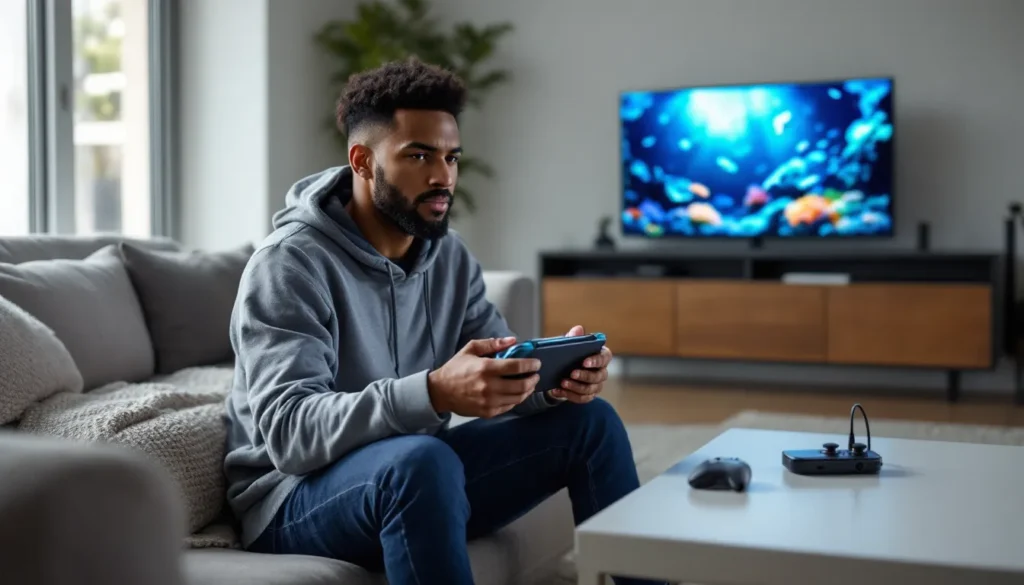
- Handheld mode is the recommended way to play Subnautica on Switch, as it provides smoother performance, better battery life (3-3.5 hours), and hides texture compression better than the 1080p docked experience.
- Manual saves every 15-20 minutes are essential to prevent losing progress, as crashes occur during vehicle transitions and extended play sessions beyond 90 minutes without restarting the game.
- Base-building performs best with one primary base and minimal outposts, limiting decorations and spreading storage across multiple lockers to reduce rendering load on Switch hardware.
- Subnautica: Below Zero runs slightly better on Switch than the original, with fewer crashes and faster load times, but the original game is the essential experience and should be played first for maximum atmosphere and exploration freedom.
What Is Subnautica and Why Play It on Nintendo Switch?
Subnautica is an open-world survival game set entirely underwater on an alien planet. After crash-landing in the Aurora spaceship, players must gather resources, craft equipment, build underwater bases, and uncover the mysteries of Planet 4546B while managing oxygen, hunger, and thirst. The game blends exploration with genuine survival horror, venturing into the deep zones triggers real thalassophobia as massive leviathans patrol the darkness.
The Switch version offers something PC and other console players don’t get: true portability. Being able to explore the kelp forests during a commute or build a moonpool while traveling gives Subnautica a unique appeal on Nintendo’s platform. The game’s slower, methodical pacing actually suits handheld sessions well, you can gather resources for 20 minutes, save at a base, and put the console to sleep.
Gameplay revolves around a satisfying progression loop. Early hours focus on basic survival: scanning fragments to unlock blueprints, finding food and water, and avoiding stalkers in the Safe Shallows. Mid-game opens up vehicle construction, the Seamoth submarine and Prawn Suit exosuit let players explore deeper biomes like the Jellyshroom Caves and Blood Kelp Zone. Late-game pushes into genuinely terrifying depths where leviathan-class creatures like Reapers and Ghost Leviathans demand careful navigation.
The Switch port includes all the base game content with no cut features. Players get the full story campaign, all biomes, vehicles, and the complete tech tree. Unknown Worlds and Panic Button (the porting studio) delivered a complete experience, which isn’t always guaranteed with demanding PC titles moving to Switch.
Performance and Technical Considerations on Switch
Graphics and Frame Rate
Subnautica targets 30 FPS on Switch, but it doesn’t consistently hit that mark. Expect drops into the low-to-mid 20s when exploring dense biomes like the Grand Reef or when multiple creatures appear on screen. The Safe Shallows and Grassy Plateaus run more smoothly, but performance degrades noticeably in areas with complex geometry or particle effects.
Graphical fidelity takes a substantial hit compared to PC or even PlayStation 5. Render distance is notably reduced, terrain and creatures pop in at closer ranges, which can break immersion when a Reaper Leviathan suddenly materializes 30 meters away. Texture quality is compressed, and lighting effects are simplified. Bioluminescent flora still looks atmospheric at night, but don’t expect the jaw-dropping visuals from high-end platforms.
Dynamic resolution scaling kicks in during demanding scenes, sometimes dropping below 720p in handheld mode. It’s noticeable if you’re sensitive to resolution changes, but the trade-off keeps the game from crashing during intense moments.
Load Times and Console Limitations
Initial boot times hover around 60-90 seconds depending on save file size. Mid-game saves with established bases load faster, but large constructions with multiple rooms, lockers, and fabricators can extend loading to two minutes. It’s slower than a PS5 or modern gaming PC, but tolerable for a game of this scope on Switch hardware.
The game uses aggressive asset streaming to manage the Switch’s limited RAM. This causes frequent micro-stutters when crossing biome boundaries or entering/exiting vehicles. Players often experience a 1-2 second freeze when transitioning from the Cyclops submarine interior to the external ocean environment.
Pop-in extends beyond creatures to resources and terrain features. Swimming at full speed with the Seaglide (an early handheld propulsion tool) sometimes reveals geometry loading just ahead, especially in the Mushroom Forest or Bulb Zone. It doesn’t break gameplay, but it reminds you the hardware is working overtime.
Handheld vs. Docked Mode Experience
Handheld mode runs at 720p (with dynamic scaling) and generally delivers a smoother experience than docked. Counterintuitively, the lower resolution reduces the GPU load, leading to more stable frame rates. The smaller screen also hides some of the texture compression and pop-in issues that become more obvious on a TV.
Docked mode targets 1080p but struggles more with frame rate consistency. Biomes like the Underwater Islands or Floating Island surface areas can dip into the high teens when lots of flora and fauna are rendering. For players prioritizing performance over visual fidelity, handheld mode is the better choice.
Battery life in handheld averages 3-3.5 hours on a standard Switch, slightly better on the OLED model. Subnautica isn’t as demanding as something like The Witcher 3, but it drains faster than simpler titles. Plan for a charger on longer trips.
Getting Started: Essential Tips for New Switch Players
Managing Controls on Joy-Cons and Pro Controller
The default Joy-Con layout works, but it’s not ideal for precision swimming and combat. Motion controls are enabled by default, disable them immediately in the options menu unless you want unintentional camera drift while playing handheld. Head to Settings > Controls and toggle off gyro aiming.
The Pro Controller offers better ergonomics for extended sessions. The larger analog sticks give finer control when navigating tight cave systems or piloting the Seamoth through wreckage. If you’re serious about deep-diving expeditions, the Pro Controller is worth the investment.
Key control tips for Switch:
- Y button opens your PDA (Personal Digital Assistant), critical for checking blueprints and story logs
- L and R bumpers cycle through inventory tabs, memorize this to speed up crafting
- Hold B to deconstruct base components if you misplace them
- ZL activates vehicle lights, essential in deep biomes where visibility drops to near-zero
One quirk: the radial menu for tool selection (accessed with the D-pad) can feel sluggish. There’s a slight input delay that makes quick-swapping between the Scanner and Survival Knife slower than on other platforms. Give yourself an extra half-second before engaging stalkers.
Early Game Survival Priorities
The first hour sets the tone. After escaping Lifepod 5, players spawn in the Safe Shallows, the only genuinely “safe” biome. Here’s the optimal opening sequence for Switch players:
-
Scan everything. Use the Scanner (crafted from the Fabricator in your lifepod) on every plant, fragment, and creature. Scanning Metal Salvage unlocks the Habitat Builder, your gateway to base construction.
-
Grab Acid Mushrooms and Creepvine. Acid Mushrooms (orange fungi near the seafloor) and Creepvine Samples (yellow pods from tall kelp) unlock batteries and lubricant, both essential for mid-game tech.
-
Craft a Seaglide ASAP. This handheld propulsion device doubles swim speed and includes a light. The battery cost is worth it. You’ll find fragments in the Safe Shallows wreckage near the Aurora.
-
Build a Scanner Room early. This base component reveals resource locations within 300m (upgradeable to 500m). It eliminates resource scarcity by pinpointing Copper, Silver, and Gold deposits. Many guides for portable gaming recommend prioritizing this structure.
-
Stockpile Cured Fish. Cooked fish spoil: cured fish (requiring salt) don’t. Build a Fabricator in your first base and cure Peepers or Bladderfish for long-term food storage.
Switch-specific tip: Save manually by sleeping in a bed or using the Lifepod’s bed. Autosaves happen, but they’re inconsistent. The game can crash (more on that later), and losing 30 minutes of progress to a freeze is brutal.
Exploration Strategies for Switch’s Portable Play
Navigating Biomes Without Performance Issues
Some biomes tank performance more than others. Knowing where the game struggles helps you prepare mentally (and battery-wise) for demanding areas.
Performance-friendly biomes:
- Safe Shallows: Runs smoothly, ideal for handheld farming sessions
- Grassy Plateaus: Minor stutters, generally stable
- Kelp Forest: Slight pop-in with Creepvine, but manageable
Performance-heavy biomes:
- Mushroom Forest: Giant mushroom trees cause frequent frame drops
- Grand Reef: Particle effects from Ghost Rays and floating rock formations stress the GPU
- Lost River: Dense fog and skeletal leviathan remains create stuttering, especially in docked mode
- Lava Zones: Expect the worst performance in the game, sub-20 FPS is common around lava flows and Sea Dragon Leviathans
When exploring demanding zones, switch to handheld mode if you’re experiencing unplayable frame rates in docked. The lower resolution helps. Also, avoid sprinting with the Seaglide at full speed through these areas, slower movement gives the game time to load assets.
Beacon management matters more on Switch due to pop-in. Beacons (craftable markers) help you navigate back to key locations like wrecks or resource-rich spots. On PC, you can often eyeball landmarks: on Switch, terrain loads late, so labeled beacons prevent getting lost.
Base Building and Resource Management
Base construction is where Subnautica shines, but it’s also where Switch hardware protests. Large bases with 15+ rooms, multiple Multipurpose Rooms, and dozens of storage lockers cause noticeable performance hits. Players looking for top Nintendo Switch experiences should plan bases strategically.
Optimal base design for Switch:
- One primary base, two outposts. Build your main base in the Safe Shallows or Grassy Plateaus. Construct minimal outposts (just a Moon Pool, Fabricator, and storage) near the Lost River and Lava Zone entrances.
- Limit decorations. Every poster, planter, or aquarium item adds to the rendering load. Keep it functional.
- Use external growbeds sparingly. Exterior planters with Creepvine or Blood Oil cause more performance issues than interior potted plants.
- Spread storage across lockers. Don’t cram 50 items into one locker, distribute inventory across multiple units to reduce load times when accessing containers.
Resource management becomes critical because mining nodes render inconsistently. Large ore deposits (Limestone, Sandstone, Shale) sometimes don’t appear until you’re within 10 meters. Swim methodically through biomes rather than racing around, you’ll spot resources the game actually renders.
The Cyclops submarine is a mobile base, but it’s a performance nightmare. Piloting this massive vehicle through tight spaces like the Blood Kelp Trench causes severe stuttering. Use it for long-haul trips, but park it in open water and switch to the Seamoth or Prawn Suit for biome exploration.
Common Technical Issues and Troubleshooting
Bug Fixes and Updates in 2026
As of March 2026, Subnautica on Switch sits at version 2.0.1, patched in late 2025. This update addressed several critical bugs:
- Fixed: Phantom saves that appeared in the load menu but wouldn’t actually load
- Fixed: Seamoth clipping through terrain in the Jellyshroom Caves and getting permanently stuck
- Fixed: Audio cutting out entirely in the Inactive Lava Zone
- Partially fixed: Pop-in issues improved slightly, but still noticeable in dense biomes
Persistent bugs still plague the experience:
- Reaper Leviathans clipping through terrain: Sometimes these predators spawn inside rock formations, making them invisible but still deadly. If you’re taking damage with no visible threat, surface quickly.
- PDA voice lines overlapping: Story audio logs sometimes play simultaneously, garbling dialogue. Pause and let one finish before triggering another.
- Inventory desync: Occasionally items visually disappear from lockers but remain accessible. Exiting and re-entering the base refreshes the inventory display.
Unknown Worlds has slowed update frequency for the Switch port, focusing on Subnautica 2 development. Don’t expect major performance patches at this point.
Saving and Crash Prevention
Crashes happen. They’re not constant, but frequent enough to be frustrating. Most occur during:
- Entering or exiting the Cyclops in complex biomes
- Rapid inventory management (moving 10+ items quickly between storage)
- Extended play sessions beyond 90 minutes without restarting
Crash prevention strategies:
- Manual save every 15-20 minutes. Use a bed or the Lifepod. Don’t rely on autosave.
- Restart the game after 90-minute sessions. Close Subnautica fully and reboot. This clears memory and reduces crash likelihood.
- Avoid vehicle spam. Don’t build multiple Seamoths or Prawn Suits unless necessary. Each active vehicle taxes the system.
- Limit beacon use to 10-12 total. More beacons = more objects tracking in memory.
- Don’t quicksave-spam. The game autosaves during sleep: creating multiple rapid manual saves can corrupt data.
If a crash occurs, the game usually recovers to the last manual save. Lost progress is the main penalty. Review aggregates on Metacritic note crashes as a common complaint, though most players find the experience stable enough with precautions.
Subnautica vs. Below Zero on Switch: Which Should You Play?
Subnautica: Below Zero is the standalone expansion set in an arctic region of Planet 4546B. It’s a shorter experience (20-25 hours vs. 30-40 for the original) with more surface exploration, a voiced protagonist, and a heavier narrative focus. Both run on Switch, but performance and design differ.
Performance comparison:
- Below Zero runs slightly better on Switch. The smaller map size and more contained biomes reduce pop-in and stuttering. Arctic surface areas perform worse than underwater zones, but overall frame rate is more consistent than the original.
- Load times are 10-15 seconds faster in Below Zero due to smaller asset pools.
- Crashes are less frequent. Below Zero feels more optimized for Switch hardware.
Gameplay differences:
- Below Zero has more structured storytelling with voice-acted characters and scripted missions. It’s less lonely, more guided.
- Original Subnautica offers greater freedom and exploration-driven discovery. The sense of isolation and mystery hits harder.
- New vehicles in Below Zero include the Seatruck (modular submarine) and Snowfox (land hoverbike). The Seatruck is more versatile than the Seamoth, but piloting it in tight spaces is clunky with Joy-Con controls.
Which to play first?
Start with the original Subnautica. It’s the definitive experience, and Below Zero assumes familiarity with base-building, crafting, and biome navigation. The original also has better atmosphere and more memorable biomes. Players interested in exploring the broader Switch library will appreciate the pacing of the base game.
Play Below Zero if you’ve finished the original and want more content, or if you prefer tighter narratives and shorter completion times. Both games are worth playing, but the original is the essential one.
Is Subnautica Worth It on Nintendo Switch?
Subnautica on Switch is a compromised but worthwhile experience. It’s not the definitive way to play, PC with mods or PS5 with better performance take that crown, but the portability factor genuinely adds value. Being able to explore underwater caves during a lunch break or plan base layouts on a flight makes the technical trade-offs acceptable.
Buy it if:
- Portability matters. If handheld play is a priority, this is your only option outside of Steam Deck.
- You’re patient with performance. Frame drops and pop-in won’t ruin the experience if you adjust expectations.
- You love survival crafting. The core gameplay loop remains intact and addictive.
- You want 30-40 hours of content. Even with technical issues, the game offers massive value per dollar.
Skip it if:
- You demand 60 FPS or high visual fidelity. This port won’t satisfy performance purists.
- You’re prone to motion sickness. Frame rate inconsistency and FOV can trigger nausea in susceptible players.
- You have access to PC or PS5. Those versions are objectively better if portability isn’t a factor.
Pricing and value (2026):
Subnautica typically sits at $29.99 on the eShop, with sales dropping it to $14.99-$19.99. At full price, it’s fair: on sale, it’s a steal. Below Zero follows the same pricing. Both games frequently appear in Nintendo’s seasonal sales, so wishlist them if you’re not in a rush.
The game supports no multiplayer, so don’t expect co-op even though community requests since launch. It’s purely single-player, which suits the survival horror atmosphere.
For players deciding between console options, the Switch version trades performance for flexibility. If you have multiple platforms, weigh your play habits. Couch and handheld players get more from the Switch port than those anchored to a TV.
Community resources help extend the game’s life. Nintendo Life regularly updates biome guides and blueprint locations specific to the Switch version, accounting for the platform’s quirks. The subreddit r/subnautica also maintains a pinned Switch FAQ addressing common technical questions.
One final note: Unknown Worlds has confirmed Subnautica 2 is in development but hasn’t announced platforms yet. If Switch gets a port, expect it 12-18 months after the PC launch based on past release patterns. Until then, the original and Below Zero remain the definitive underwater survival experiences for players who prefer portable gaming.
Conclusion
Subnautica on Nintendo Switch delivers an alien ocean worth diving into, warts and all. The frame rate hitches, pop-in, and occasional crashes are frustrating, but they don’t sink the core experience. Planet 4546B’s mysteries, base-building satisfaction, and genuine terror in the deep zones translate well enough to Nintendo’s hybrid console that the technical compromises become background noise after a few hours.
Portability remains the killer feature. Few survival games of this depth and scope run on a handheld, and being able to explore the Lost River during a commute or gather resources in bed adds value that raw performance metrics can’t capture. For Switch-exclusive players, this is non-negotiable: it’s Subnautica or nothing.
Approach the port with realistic expectations. Treat handheld mode as the default, save religiously, and don’t expect visual parity with other platforms. Do that, and you’ll find one of the Switch’s most rewarding survival experiences, a game where discovering a new biome or finally building that Cyclops submarine hits just as hard on a six-inch screen as it does on a gaming PC.